Changing the proxy password will stop all proxies generated previously from working. If you’re concerned that someone uses your proxy - or just as a security measure - you can always change your proxy password.
  1. Firstly, click Residential & Mobile in the left navigation, then open the Users tab on Proxy Setup
  2. After, click on three dots > Edit
The three-dot menu on the main account row of the Users tab, showing Edit
  1. Finally, click on “Generate password” and “Save”
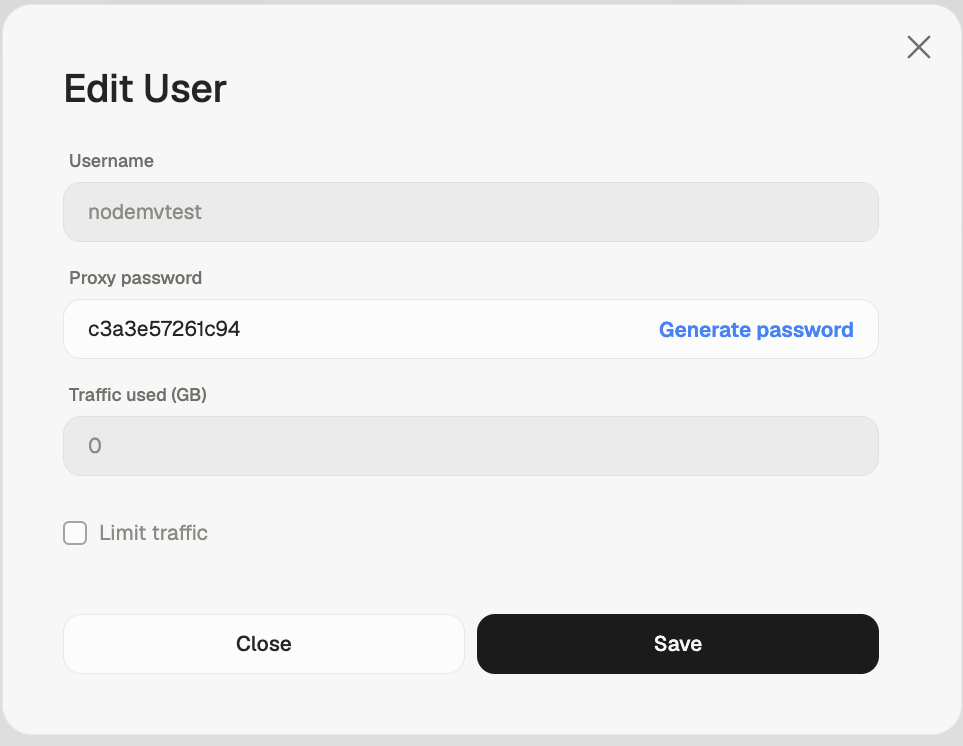
Edit User dialog with the Proxy password field, the Generate password link and the Save button All done! Feel free to contact us via chat and email support@nodemaven.com if you have any questions.