Verify your proxy's status with the Curl command

The curl command is an essential tool for anyone using proxies. It allows you to quickly verify that your proxy server works, check your public IP, test authentication, and diagnose errors — all from a single terminal window.

Sintia avatar
Written by Sintia
Updated over a week ago

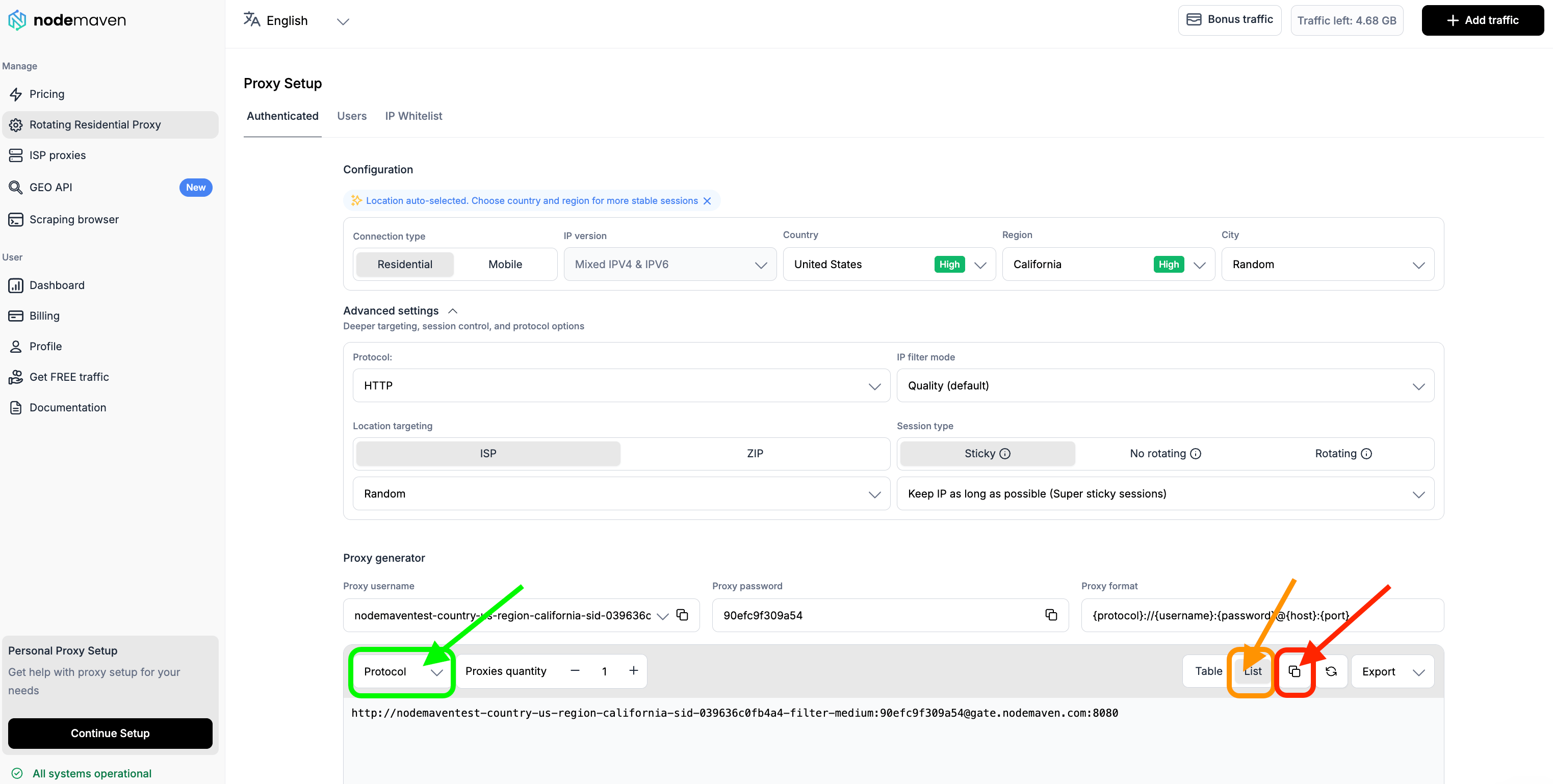
To check a proxy with Curl, you should use the protocol output format:

After setting up your proxy, you can set up the command line:

For HTTP

curl -x http://USERNAME:[email protected]:8080 -l http://ip-api.com -v

For SOCKS 5

curl -x socks5://USERNAME:[email protected]:1080 -l http://ip-api.com -v

Example:

curl -x http://TEST__USER-country-any-sid-a4be7e1f75964-filter-medium:[email protected]:8080 -l http://ip-api.com -v

OR

curl -x socks5://TEST__USER-country-any-sid-a4be7e1f75964-filter-medium:[email protected]:1080 -l http://ip-api.com -v

Now that you have the command line, you can run the code:

For windows:

  1. Press Windows Key + R to open the Run dialog.

  2. Type cmd and press Enter to open the Command Prompt.

For macOS:

  1. Press Command + Space to open the search bar

  2. Type Terminal and click Enter to open

Now you can paste the curl command.

  • A result where the proxy string is live will look like the following:

  • A result where the proxy string is not online will look like this:

Common curl errors are:

402 - payment required

407 - authentication required (make sure that your username and passwords are correct, OR make sure that your real IP is whitelisted)

Please don't hesitate to contact support if you have any questions!

Did this answer your question?